Technology Solved
A member of the Computer Troubleshooters franchise network

Life Without your Computer

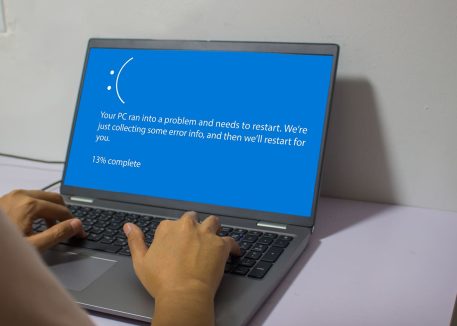
Many people wait to service their computer until that fateful day when it crashes and then they suffer the consequences. However, it is possible to reduce the likelihood of some common problems occurring, or address minor errors before they turn into major outages or data loss. Many great professional options exist for ensuring that your computer is maintained, protected and monitored.  But why would you pay for that? How reliant are you on technology anyway?

An effective way to find the answer would be to remove a computer or unplug your Internet connection for a few hours on a busy day and see the impact that this has.  Most people underestimate the impact of a computer crash that can’t be immediately fixed.  When it happens, they need their computer guy to turn up immediately and fix everything as soon as possible.  Sometimes it happens soon enough.  Other times it doesn’t.

To help you assess your need for pro-active computer support and maintenance, Here are a few questions:

1. A fire consumes your premises and your computer too. How concerned are you about your important files (e.g. customer information, financial records or irreplaceable family digital photos)?

A. Not concerned at all. They are regularly backed up on an offsite server and the restoration process was tested successfully last week. At the most you will have a day or two’s worth of records to re-enter.

B. Slightly concerned. Someone in your business is responsible for changing the tape, CD or USB key for your backups and taking it home, but you’re not sure if it is actually being done or when it was last tested.

C. Completely panicked. You either don’t have a backup process in place, or your tapes, CDs or USB keys were stored next to your computer in a drawer, which was also consumed by the fire.

2. A hardware failure has meant that you may be without one computer for up to 3 days while it is being repaired. This will mean:

A. Some loss of productivity for one staff member.  You have other computers and all of the files are on your main, shared server, so the impact is minimal.

B. Reverting to a paper-based system for invoicing, ordering etc, and relying on faxes. Data entry will be needed when the computer is returned.

C. A complete halt to your business. That computer held your customer ordering system or other critical programs, or it was the only computer that your business has.

3. Your Internet access is down and there is no indication of when it will be restored. The impact is:

A. Minimal. You don’t do a lot on the Internet anyway.

B. Moderate. You will have to find alternatives to the way you normally work (like visiting the bank in person using the phone rather than email). Most tasks that you perform on the Internet can be done another way or can wait for a while (leaving you with a backlog to catch up on).

C. Severe. This means that your website is down and your staff are without email. You face lost orders and grumpy customers, as your business cannot function without the Internet.

Now let’s breakdown the answers:

If you answered mostly A’s: You may be able to cope with some technology problems, but you could still benefit from preventing downtime.

Mostly Bs: There are areas that can be addressed now to lessen the impact of technology problems in the future.

Mostly Cs: Your business is too important to risk the gamble that your computers will work day after day.

Preventing the loss of productivity that occurs when your computer fails is an important way to secure the performance of your business, academic, and home life.  Talk to your local Computer Troubleshooter about the real impact of computer problems < http://technology-solved.com/business-solutions/business-services> , and how we can help you avoid them.

Posted in Technology & Tools | Leave a comment

The Top 10 Tech Mistakes Small Businesses Make (And How To Avoid Them): Pt 5

We’ve made it to the final post of our 5-part series on helping small businesses avoid common and costly tech mistakes. Thanks to those who have stuck with it to the end. If you’ve missed any, check out the previous parts:

Continue reading

Posted in Computer Repair | Leave a comment

The Top 10 Tech Mistakes Small Businesses Make (And How To Avoid Them): Pt 4

We’ve got Insufficient Data Backup and Virus Vulnerability on deck in Part 4 of our series on Small Business Tech Mistakes, and how you can avoid them.  Let’s get to it!

Continue reading

Posted in Computer Repair | Leave a comment

The Top 10 Tech Mistakes Small Businesses Make (And How To Avoid Them): Pt 3

Continuing our series on how small businesses can avoid common tech mistakes, Part 3 follows up on our discussion of Inadequate Power Protection and Illegal Software
in Part 2 and digs into Mistakes #5 & 6: Inadequate Training and Weak Security.

Continue reading

Posted in Computer Repair | Leave a comment

The Top 10 Tech Mistakes Small Businesses Make (And How To Avoid Them): Pt 2

In Part 1 <INSERT LINK TO PART 1 POST> of this series, we discussed how small business can avoid the issues and expenses caused by having Weak Tech Support <LINK TO PART 1 POST> and Old, Cheap, or Inconsistent Hardware. <LINK TO PART 1 POST>  This time we’re tackling Mistakes #3 and 4: Inadequate Power Protection and Illegal Software.

Continue reading

Posted in Computer Repair | Leave a comment

The Top 10 Tech Mistakes Small Businesses Make (And How To Avoid Them): Pt 1

Small businesses typically focus on researching, understanding and managing elements related to their businesses. That’s good business sense, after all.  But too few have time to monitor the constant changes in the information technology industry that impact their business.

Continue reading

Posted in Computer Repair | Leave a comment

Hacked!

Our Comptroub.com server was hacked this week, with malicious files planted to send out spam.  Our server gurus along with our hosts at Rackspace found and fixed the problem, but not before we were listed as a spammer by the Spamhaus SBL/CSS blacklist.  We’ve applied to be removed from the blacklist, but it can take 3 days.

In the interim email to or from comptroub.com email addresses may be returned or just not delivered.  We apologize for the inconvenience, please contact chip@ctusa.comptroub.com with any questions.

Chip Reaves, CEO, Computer Troubleshooters USA

Posted in Computer Repair | Leave a comment

Password Strength, Pt. 2: Keeping Your Passwords Safe

Creating strong passwords is a hot topic of discussion these days, and is essential to any business that uses computers and networks for data storage.  Password strength is only half the battle, however.  Keeping your passwords secret and safe is vital to your data security, and becomes more difficult as your staff and reliance on computers grows.  Below are some tips on how you can be smart and vigilant in this crucial area.

Continue reading

Posted in Computer Repair | Leave a comment

Computer Troubleshooters Management Changes

Computer Troubleshooters Chief Executive Officer Chip Reaves announced his resignation earlier this month. After 13 years at CT, the top tech support franchise worldwide, Reaves will turn his focus to a new project, Bigger Brains.

Reaves’ official last day with Computer Troubleshooters will be March 2; however, he’ll continue to serve as a consultant for several months. He’ll also stay involved with the local franchise, Computer Troubleshooters of Anderson (South Carolina), which he runs with his wife and several partners.

“It’s definitely an interesting time, with mixed emotions all around, but I’m convinced that now is the right time for me to do something new,” Reaves said.

John Davies, Chief Executive Officer of Merrymeeting, Inc, the company that took a majority interest in Computer Troubleshooters in 2008, will lead Computer Troubleshooters this year. Also, Kelci Cotter and Kim Weinberger will be joining the CT corporate management team. Kim is a highly experienced CT franchise owner and Assistant National Director. Kelci has seven years of experience in Merrymeeting’s corporate office as the brand manager for the Sunbelt Business Brokers franchise system.

In 1999, Reaves became the first Computer Troubleshooters franchisee in the United States. He subsequently became the National Director for CT’s operations in the U.S. and ultimately the CEO of CT Global.

During his tenure, Computer Troubleshooters’ network blossomed to 450 franchises in 28 countries, including Saudi Arabia, Colombia, Nigeria, Ethiopia, and the Philippines.

“I’m proudest of what we’ve accomplished in terms of recurring revenue though: being the first franchise to embrace managed services with BEST and HOST, and our partnerships with Dell, Fonality, and Autotask,” he said. “When I first joined CT, I probably could not have picked out Australia on a map, but CT has enabled me to visit and learn about 14 countries and gain friends in countless more.”

Computer Troubleshooters is the Number 1 Tech Support Franchise Worldwide (as ranked by Franchise Business Review) and helps clients with offices across the United States and worldwide. Its network has the capabilities to handle the total technology needs of home users, home office users, and small businesses.

About Computer Troubleshooters provides a full range of computer and technology solutions to small-business owners and private home users. Services range from onsite and remote support services on demand to monthly monitoring and service plans, virus and spyware remediation and protection, VoIP Telephony, Cloud Computing, Web development and many more technology services. Computer Troubleshooters also offers the world’s only “No-Downtime-Guarantee” for customers on their BEST service plan. Launched in 1997, Computer Troubleshooters now has more than 450 franchises worldwide in more than 28 countries. Ranked by Entrepreneur Magazine, Franchise Business Review, and AllBusiness.com as a top technology franchise.

Posted in Computer Repair, Press Release | Leave a comment

Password Strength, Pt. 1: Picking an Unbreakable Password

Passwords are a big part of keeping your work safe online.  Nearly every vital system and tool that businesses use today are password-protected, so it is critical to create strong passwords that are easy for you to remember and difficult for hackers to figure out.  In general, a strong password is one that appears complex and would be difficult to guess.  Below are some specific ways you can achieve this. Continue reading

Posted in How To: Technology 101 | Leave a comment